Total Control Over Your Equipment Locker & Reusable Gear Kits.
KitReturn helps custodians, AV teams, and workshop leads manage gear checkouts, bundle reusable kits, and inspect component returns — all on-device without cloud fees or forced sign-ins.
Operational Efficiency
Built for Fast Custodial Operations
Managing physical equipment shouldn’t require complex cloud software, subscription fees, or internet access. KitReturn gives equipment leads complete control over their physical inventory directly from an Android tablet or phone.
100% Offline Independence
Works deep inside studios, basements, and remote shoot locations without needing Wi-Fi or cellular service. Zero dependency on remote cloud servers.
Component-Level Precision
Track individual lenses, cables, and batteries even when checked out inside bundled kits. Never lose sight of individual accessories again.
Complete Data Ownership
Your inventory catalog, custodian contacts, and inspection notes remain strictly on your local device with zero cloud tracking, analytics, or third-party ad profiling.
Bundle Complex Equipment Setup into Reusable Kits
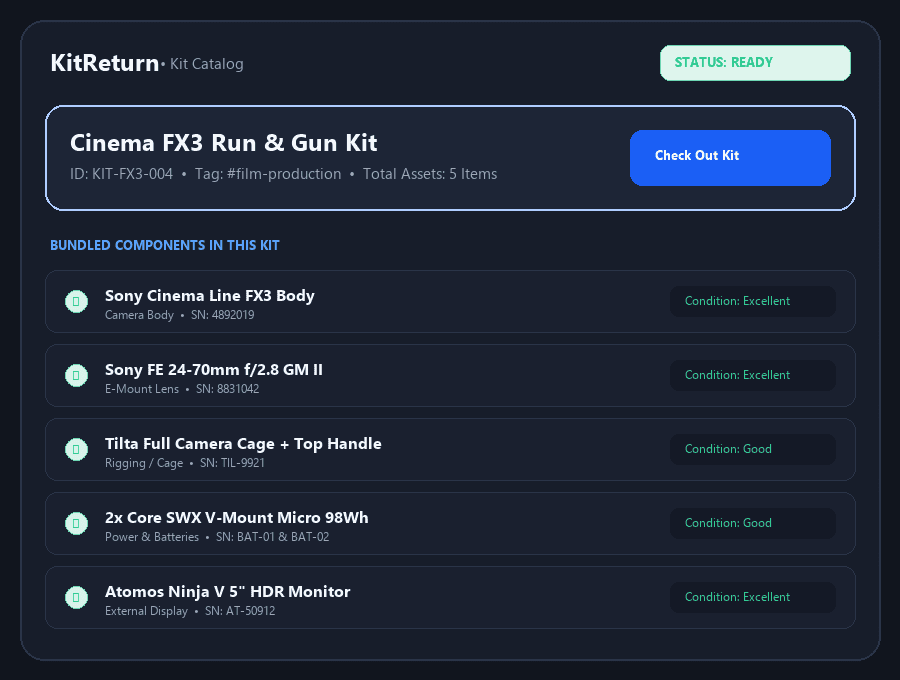
Stop checking out cameras, lenses, rigging, and batteries one by one. Group recurring equipment setups into reusable kits for effortless single-tap checkouts.
- Cohesive Kit Bundling: Combine multiple individual inventory items into cohesive kits (e.g., Cinema FX3 Run & Gun Kit).
- Flexible Selection: Check out entire kit bundles or select individual standalone items as needed.
- Snapshot Integrity: Edit or add items to kits without altering past historical checkout snapshots.
Rapid Checkout & Automatic Due Date Tracking
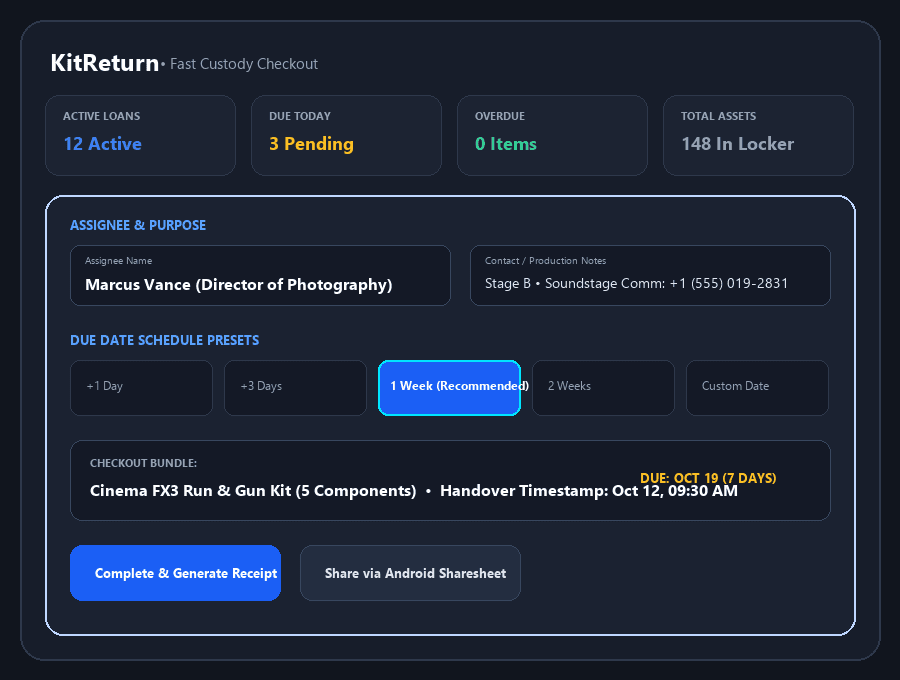
Log handover details in seconds with quick due-date presets and automatic status tracking across your entire inventory.
- Assignee Records: Record assignee name, contact details, and handover production notes.
- Schedule Presets: Set schedule presets (+1 day, +3 days, 1 week, 2 weeks) or pick custom return dates.
- Instant Dashboard Overview: Monitor Active Checkouts, Overdue Items, and Outstanding Components at a glance.
Inspect Returns & Lock Damaged Items Automatically
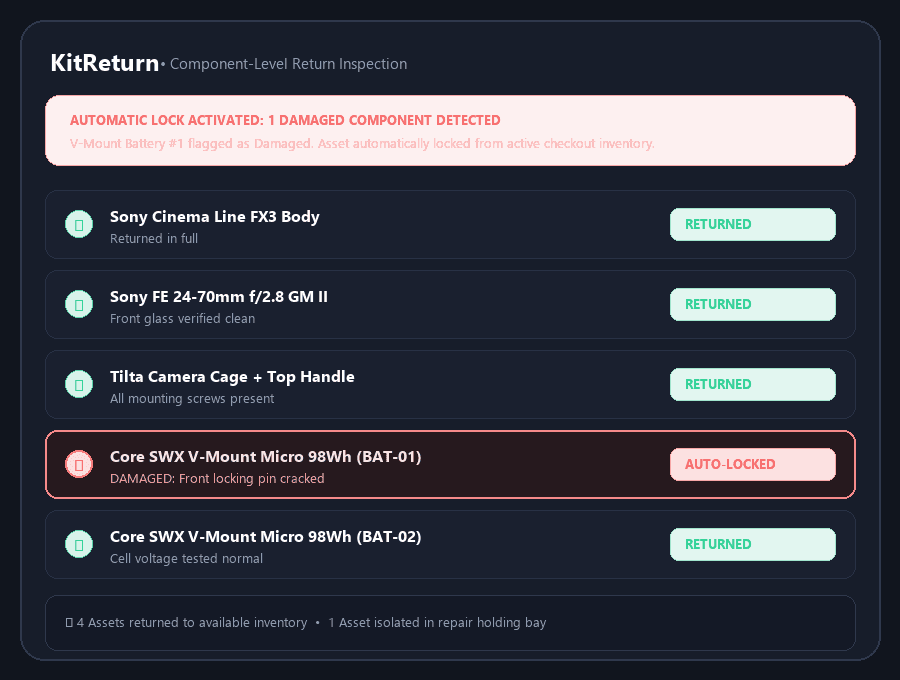
Verify gear condition component by component when equipment is returned. Flag broken gear to hold it from circulation until repaired.
- Piecemeal Returns: Check in entire kits at once or return individual components piecemeal.
- Condition Grading: Grade component return condition (
New,Excellent,Good,Fair,Damaged). - Automatic Quarantine: Flagging an item as
Damagedautomatically locks it from the available checkout pool until inspected and repaired.
The Clear Choice
KitReturn vs. Traditional Workflows
See how KitReturn replaces clumsy manual spreadsheets and expensive cloud subscriptions with fast, on-device efficiency.
| Feature | Traditional Spreadsheets | Cloud Asset SaaS | KitReturn |
|---|---|---|---|
| Offline Functionality | Manual / Clunky | Requires Internet | 100% Offline-First |
| Kit & Component Tracking | Easy to miss items | Available | Native Reusable Kits |
| Damaged Item Holding | Manual highlighting | Available | Auto-locks from pool |
| Subscription Fees | Free | $50–$200+/month | Free / One-time |
| Data Privacy | Local File | Cloud Server Storage | On-Device Storage |
Got Questions?
Frequently Asked Questions
Transparent answers regarding offline functionality, privacy, and custodial workflows.
Does KitReturn require an internet connection or subscription?
No. KitReturn operates completely offline. All equipment records, kits, and checkout histories are stored locally on your device with zero monthly fees.
How does KitReturn handle equipment returned in damaged condition?
During check-in, you can mark any individual component as 'Damaged' and add inspection notes. KitReturn automatically locks that asset from the available pool until marked repaired.
Where is assignee and inventory data stored?
All data is saved in a local SQLite database on your Android device (Android Room). No data is ever transmitted to cloud servers.
Can I back up or transfer my inventory to another device?
Yes. KitReturn includes a JSON Data Backup & Restore feature in Settings, allowing you to export your full inventory catalog, checkouts, and photo attachments to a backup file.
Do I need to create an account or sign in?
No. KitReturn requires no account creation, passwords, or personal user registration.
What Android permissions does KitReturn require?
KitReturn requests zero special permissions. Photo attachments use Android's native system Photo Picker, which grants selective access without requiring full storage or camera permissions.
Ready to Organize Your Equipment Locker?
Download KitReturn today on Google Play and streamline your equipment checkouts.